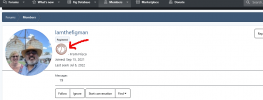
Removing image banner from user profile section

Rigo

New Member
Messages
23
So I created some user ladders which contain an image.
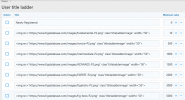
Screenshot 2022-10-04 at 07-42-39 User title ladder The Fig Spot - Admin control panel.png
My issue is I want the images to show in front end of forum here

Screenshot 2022-10-04 at 08-03-46 South-East Fig Growers.png
But I do not want it to show in the users profile when you hover over their name or when you go to their profile page (unless the image can be put on a separate location of the profile)
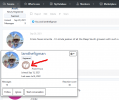
banner1.pngbanner2.png

How do I go about making these changes? Thank you in advance for any help that can be provided.
 
Hello,

Since this theme modification technically isn't specifically related to your xenfocus theme (the same issue would be happening on the default xenforo theme), you may have better luck asking on the xenforo forum.

If you can provide a URL to the topic from your screenshot though, I can take a closer look for you.
 
Hello,

Since this theme modification technically isn't specifically related to your xenfocus theme (the same issue would be happening on the default xenforo theme), you may have better luck asking on the xenforo forum.

If you can provide a URL to the topic from your screenshot though, I can take a closer look for you.
That screenshot comes from here https://www.figdatabase.com/figforum/threads/south-east-fig-growers.42/post-250
If you hover over any user (on the left panel) it opens a profile preview with the banner image I don't want on there.
Thank you, Ehren.
 
Hello,

Adding this to extra.less will do the trick:
Less:
.memberTooltip .userTitle img{
    display: none;
}
.memberTooltip .userTitle:has(img),
.memberTooltip .userTitle:has(img) + [role="presentation"]{
    display: none;
}
 
Hello,

Adding this to extra.less will do the trick:
Less:
.memberTooltip .userTitle img{
    display: none;
}
.memberTooltip .userTitle:has(img),
.memberTooltip .userTitle:has(img) + [role="presentation"]{
    display: none;
}
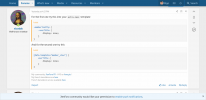
Thank you Ehren. The first part worked but the second one did not. I listened to you and asked on xenforo, got 1 reply and their code too worked on the first part but not the second one. This is what they said:
Screenshot 2022-10-10 at 10-08-34 XF 2.2 - How do I remove user-banner (ladder image) from use...png
Which your first code and his worked. But both of the second codes did not. The picture still shows.
 
If I can't remove it, I'd like to move its location. It just doesn't look right there in the users profile page. It's too large for the text.
 
@Ehren I got it. The second code (which had a typo) I got from the member on xenforo has worked.
Less:
[data-template="member_view"] {
    .userTitle {
        display: none;
    }
}
Thank you for your help and support, as always.
 
Back
Top